
26smith
17 April 2024
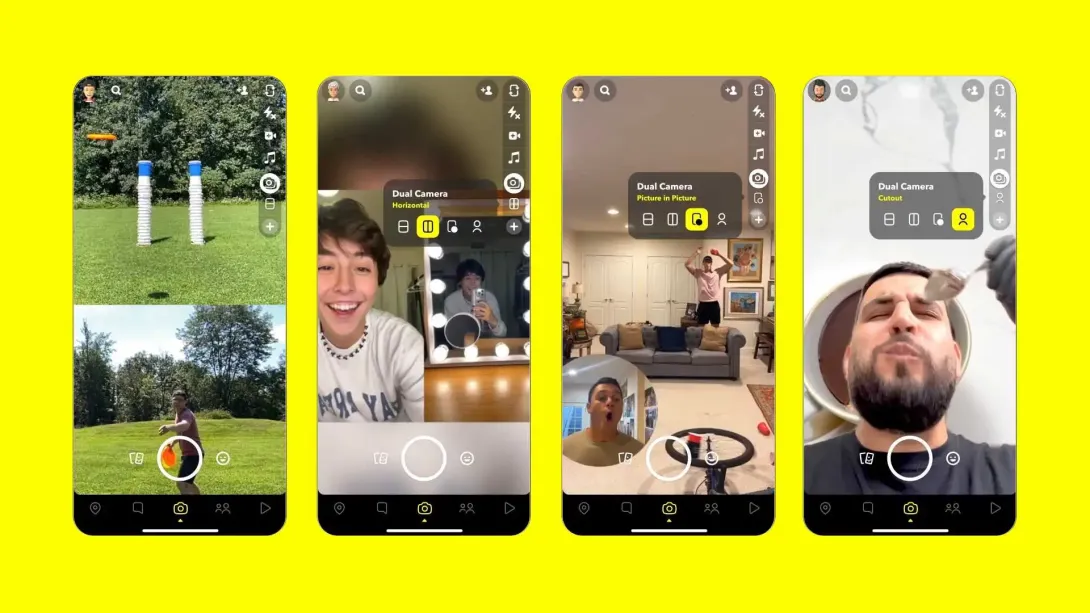
Snapshot is a multimedia messaging app that allows users to send photos, videos, text, and drawings to a controlled list of recipients or to their "stories" which are viewable by anyone for a limited time. Here's a basic rundown of how it works:
https://techcrunch.com/2022/08/29/snapchat-brings-the-dual-camera-front-and-center/
- Creating an Account: To use Snapshot, you need to download the app and create an account. You'll need to provide a username, password, and email address.
- Sending Snaps: Once you're logged in, you can take a photo or record a video using the app. You can also upload photos or videos from your device's camera roll. After taking a snap, you can edit it by adding text, drawings, filters, stickers, or other effects.
- Setting the Timer: Before sending the snap, you have the option to set a time limit for how long the recipient can view it, ranging from 1 to 10 seconds. After that time limit expires, the snap disappears from the recipient's device (unless they take a screenshot).
- Choosing Recipients: You can select who you want to send the snap to from your list of Snapchat friends. You can also choose to add the snap to your "story," which allows all of your friends to view it for 24 hours.
- Viewing Snaps: When someone sends you a snap, you'll receive a notification. You can view the snap by tapping on the notification or by opening the Snapshot app and navigating to the chat where the snap was sent. Once you open the snap, the timer begins counting down, and you can view it for the specified time limit.
- Responding: After viewing a snap, you can reply with a text message or by sending your own snap back to the sender.
- Viewing Stories: In addition to sending snaps directly to friends, users can also post snaps to their "story." Your story is a collection of snaps that are visible to all of your friends for 24 hours. Users can view stories by tapping on their friends' Bitmoji icons or by swiping right from the camera screen to access the Discover page.
- Discover: The Discover page features content from publishers, creators, and influencers. Users can explore articles, videos, and other interactive content from a variety of sources.
- Snap Map: Snapchat also has a feature called Snap Map, which allows users to see the location of their friends on a map. This feature can be turned off or set to "Ghost Mode" for privacy.